Is Instagram DM automation allowed? The 2026 safety guide to automating without getting banned
Short answer
Yes. Instagram DM automation is allowed when the tool uses Meta's official Instagram API, connects through Instagram's own login, and only messages people who commented, replied to a story, mentioned you or sent you a DM first. What gets accounts restricted is password-based bots, browser extensions, cold mass DMs and follow/unfollow automation. Keep a send delay, an hourly cap and varied messages, and official automation is safe.
- Allowed: official-API tools that reply to people who engaged first. Not allowed: password bots, extensions and cold DMs.
- Meta allows one private reply per comment within 7 days, then 24 hours to keep talking after the person replies.
- Meta caps private replies at 750 an hour per account; stay at 30 to 100 an hour, and under 50 on new accounts.
- Rotate message variants, personalise with the username, add a 2 to 5 second send delay and never share your password.
If you have ever wondered whether an auto-DM tool could get your Instagram account banned, you are asking the right question. Some tools are completely safe. Others break Instagram's rules on day one. The difference has nothing to do with whether messages are "automated" and everything to do with how the tool connects to Instagram and who it messages. This guide explains the rules Meta actually enforces, what really gets accounts restricted, the real rate limits, a safety checklist you can follow today, and what to do if you are already action-blocked.
Is Instagram DM automation allowed?
Yes. Instagram DM automation is allowed when it runs on Meta's official Instagram API and only messages people who contacted you first. Meta built its messaging API precisely so businesses and creators can answer comments, story replies and DMs with software. Customer support platforms, e-commerce brands and creator tools all use it every day.
What is not allowed is software that pretends to be you: bots that log in with your username and password, browser extensions that click through the Instagram website on your behalf, and tools that mass-message strangers. Those break Instagram's Terms of Use, and they are what trigger action blocks, restrictions and, in the worst cases, disabled accounts.
So the honest answer to "is auto DM against Instagram rules?" is: automation itself is not against the rules; unofficial access and unsolicited messaging are.
Official API vs password bots: the difference that matters
Every Instagram automation tool falls into one of two camps. Knowing which camp a tool belongs to tells you most of what you need to know about its risk.
Official API tools
An official API tool is software that connects to Instagram through Meta's own login screen and sends messages through Meta's Instagram API, within the limits Meta sets. You approve the connection on Instagram's own page, the tool receives a permission token, and your password never leaves Instagram. Meta can see exactly which app sent every message, and it grants each app specific permissions (for messaging, the permission is called instagram_business_manage_messages).
These tools can only do what the API allows. They cannot follow or unfollow people, cannot like posts in bulk, cannot scrape follower lists, and cannot start a conversation with someone who never interacted with you. That is not a weakness; it is the reason they are safe.
Password-based bots and browser extensions
An unofficial bot is software that logs in as you, with your password or your browser session, and imitates a human tapping around the app. Instagram has no way to tell the bot is authorised, so to Instagram it simply looks like your account behaving strangely: logging in from a server in another country, sending hundreds of DMs in minutes, following and unfollowing at machine speed. Instagram's systems are built to catch exactly that pattern.
Handing your password to a third party also creates a security problem. The tool now has full access to your account, including your inbox, and if it is breached, so are you. Instagram's terms prohibit accessing accounts through unauthorised automated means, so even a bot that "works" today is operating on borrowed time.
| Official API tool | Password bot or extension | |
|---|---|---|
| How it connects | Instagram's own login screen (OAuth) | Your username and password, or your browser session |
| Sees your password | Never | Yes |
| Who it can message | People who commented, replied to a story, mentioned you or sent you a DM | Anyone, including strangers |
| Follow, unfollow, mass likes | Not possible | Often the main feature |
| Rate limits | Set and enforced by Meta | Whatever the bot decides |
| Allowed by Instagram | Yes | No |
| Account risk | Low, if you avoid spammy content | High |
How to tell which kind of tool you are looking at
- It asks for your Instagram password. That is a bot. Close the tab.
- It is a Chrome extension that works on instagram.com. That is a bot running in your browser.
- It promises to DM your followers, a competitor's followers or a hashtag's audience. The official API cannot do that, so the tool is not using it.
- It promises to auto-DM every new follower. Meta's API has no "new follower" event, so a tool that does this is not using the official API alone. (Official tools can welcome people who reply to your story or send you a DM instead.)
- It connects with a "Continue with Instagram" or "Continue with Facebook" button that opens Meta's own permission screen. That is the official API.
The rules the official Instagram API enforces
These rules come from Meta's developer documentation for the Instagram Platform. They apply to every legitimate tool, so if a tool claims it can get around them, be suspicious.
1. Only professional accounts
The messaging API works with Instagram professional accounts: Creator or Business. Switching from a personal account is free and takes about a minute in Instagram settings. With Instagram Login, you do not need a Facebook Page as well.
2. "Allow access to messages" must be on
Instagram gives you a switch that decides whether any connected tool can read and send your DMs. In the Instagram app, go to Settings, then Messages and story replies, then Message controls, and under Connected tools turn on Allow access to messages. The exact menu names move around between app versions, but the switch is always under Connected tools. If it is off, tools see an error saying the account owner has disabled access to messages, and nothing sends. This setting is also your kill switch: turn it off and every connected tool loses DM access instantly.
3. People must contact you first
The API only lets you message someone who has interacted with you: a comment on your post or Reel, a reply to your story, a mention of you in their story, or a DM. There is no official way to send a cold DM to someone who never engaged. This single rule is why official-API automation is so much safer than a bot: every message goes to someone who asked for it.
4. One private reply per comment, within 7 days
When someone comments, a tool can send them a private reply: a DM linked to that exact comment. Meta allows one private reply per comment, and it must be sent within 7 days of the comment (for Instagram Live, only while the broadcast is running). Further messages can only follow if the person responds.
5. The 24-hour messaging window
The 24-hour window means that after a person messages you, you can reply to them freely for the next 24 hours. Every new message from them restarts the clock. Once it closes, you wait for them to write again. This is why good automations end with a question: a reply opens the window and turns a one-off message into a conversation.
6. The human agent tag is for humans
Meta offers a human agent tag that lets a real person reply up to 7 days after the user's last message, for cases like a weekend closure or a support issue that takes longer than a day. It requires its own approval from Meta, and it is meant for a human answering manually, not for automated follow-ups. A tool that uses it to send automated marketing outside the 24-hour window is misusing it.
Instagram DM limits per day and per hour
This is where most articles guess. Here is what is actually published and what is not.
Official API limits (published by Meta)
Meta's Instagram Platform documentation lists rate limits per Instagram professional account:
| API | Published limit |
|---|---|
| Private replies to comments on posts and Reels | 750 calls per hour per account |
| Private replies to Instagram Live comments | 100 calls per second per account |
| Send API: text, links, reactions, stickers | 100 calls per second per account |
| Send API: audio or video | 10 calls per second per account |
| Conversations API (reading threads) | 2 calls per second per account |
You can check the current figures in Meta's Instagram Platform overview. These are technical ceilings, not targets. Hitting 750 private replies an hour is possible on a viral Reel, but nothing about your account's health improves by sending at the maximum speed Meta tolerates.
Manual DM limits (not published)
Instagram does not publish a daily DM limit for people messaging by hand, and it does not publish a number for new accounts either. Figures you see online, such as "50 DMs a day for new accounts", are community estimates, not rules. What Instagram does say is that it limits how often you can do certain things to protect the community, and that repetitive, fast activity can trigger temporary blocks. In practice, the triggers are behaviour patterns (speed, repetition, strangers, reports) rather than a single fixed number.
Sensible pacing for automation
Because Instagram weighs behaviour, the safest approach is to stay well below the ceilings:
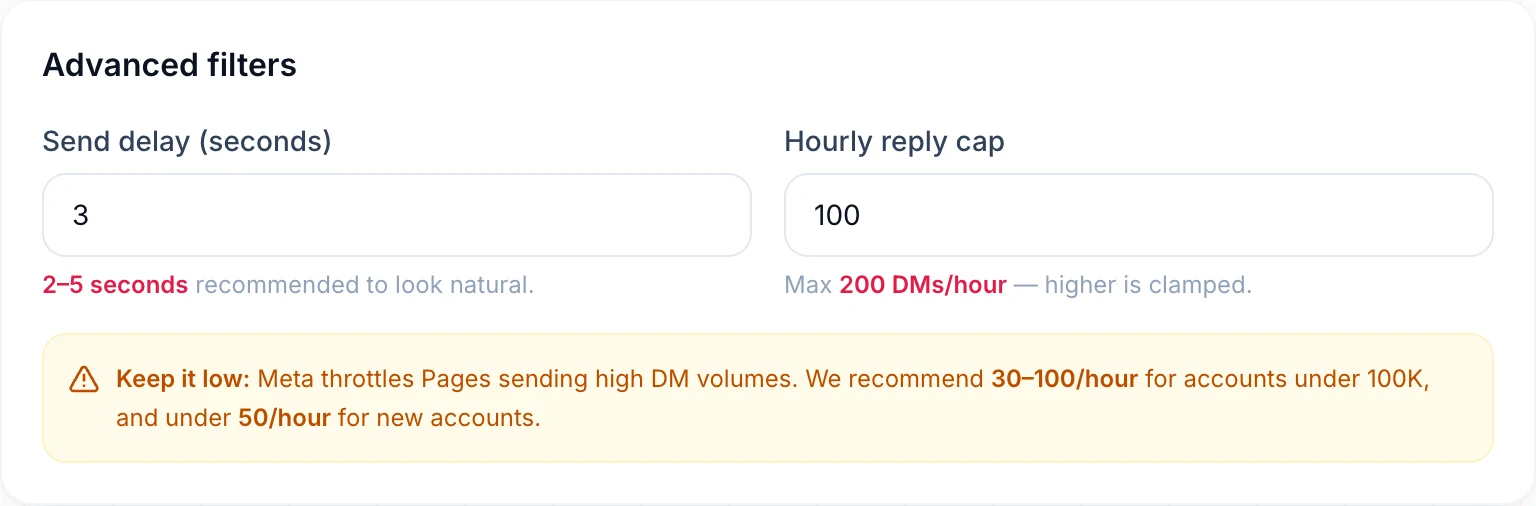
- Most accounts: 30 to 100 automated DMs an hour.
- New or small accounts: under 50 an hour while the account builds history.
- A send delay of 2 to 5 seconds between replies, so a burst of comments doesn't produce a burst of identical DMs at machine speed.
Can Instagram ban you for automation?
Instagram can restrict or disable accounts that automate in ways that break its rules, but accounts using an official API tool to answer people who contacted them first are not doing anything prohibited. Restrictions come from what the account does, and these are the behaviours that cause them:
- Sharing your password with a bot. Logins from unfamiliar servers and devices are one of the fastest ways to trigger a security check or a lock.
- Mass cold DMs. Messaging hundreds of strangers, especially with the same text, is the textbook definition of spam. It generates "report" and "not interested" signals from recipients, and those count against you.
- Identical messages at high volume. The same sentence, with the same link, sent hundreds of times an hour looks automated and spammy even when every recipient asked for it.
- Follow/unfollow and mass-like bots. Instagram's Community Guidelines prohibit artificially collecting likes, follows and shares. These bots are the most common cause of action blocks.
- Suspicious links. Shortened links that hide their destination, or links to sites flagged for spam or malware, can get messages blocked.
- Buying followers or engagement. Not automation strictly, but it lands in the same "inauthentic behaviour" bucket.
Notice what is missing from that list: replying to a comment with the link someone asked for. That is the use case Meta's private replies feature was designed for.
Is Instagram automation safe? A 12-point safety checklist
Follow this list and your automation will look, to Instagram and to your audience, like a fast and attentive account rather than a spam operation.
- Use an official API tool. It should connect through Instagram's own login screen and never ask for your password.
- Use a Creator or Business account and turn on Allow access to messages.
- Only message people who engaged first. Comments, story replies, mentions and DMs. No cold outreach.
- Send one DM per person per campaign. Someone who comments three times should still get one message.
- Write several message variants and rotate them, so no two people receive identical text.
- Personalise with the person's username.
- Add a send delay of 2 to 5 seconds.
- Cap DMs per hour: 30 to 100 for most accounts, under 50 for new ones.
- Rotate public comment replies too, so your comment section isn't a wall of the same sentence.
- Deliver what you promised in the first line and end with a question. People who get what they asked for don't report you.
- Use clear, reputable links. Avoid anonymous link shorteners.
- Remove every other bot. Revoke access for any old follow/unfollow tool or password-based app in Instagram's settings, and change your password if you ever shared it.
Need wording that feels human? We keep a library of copy-and-paste Instagram auto-reply messages.
Why DM Automata is built to be safe
DM Automata is one of the safest ways to automate Instagram DMs because it runs only on Meta's official Instagram API, only replies to people who interacted with you first, and puts rate limits and variety into every automation by default. Here is exactly what that means:
- Official Instagram API only. You connect with Instagram Login on Instagram's own screen. DM Automata never asks for or stores your password, and you don't need a Facebook Page.
- Replies, never cold DMs. Automations trigger on comments (on a specific post or Reel, or on any post), story replies, story mentions and DM keywords. There is no feature to message strangers, because the API doesn't allow it and neither do we.
- Private replies tied to the comment. DMs to commenters are sent as Instagram private replies, linked to the comment that triggered them, exactly as Meta designed.
- One DM per person per automation. Duplicates are removed automatically, so a person who comments your keyword five times gets one message.
- Send delay. Set a pause between replies so a viral post doesn't produce a machine-gun burst of DMs.
- Hourly cap. Choose how many DMs an automation can send per hour. It is hard-limited to 200 an hour, well under Meta's 750 ceiling for private replies, and the builder recommends 30 to 100 for most accounts and under 50 for new ones.
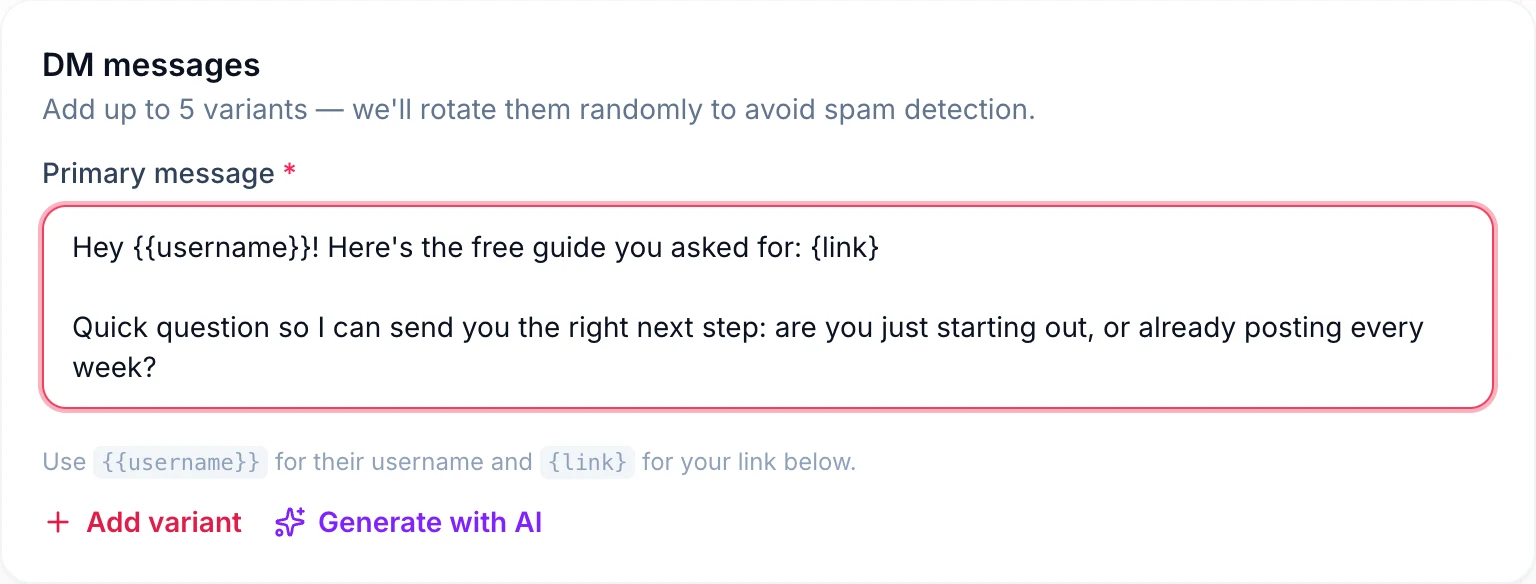
- Up to five message variants, rotated at random, plus
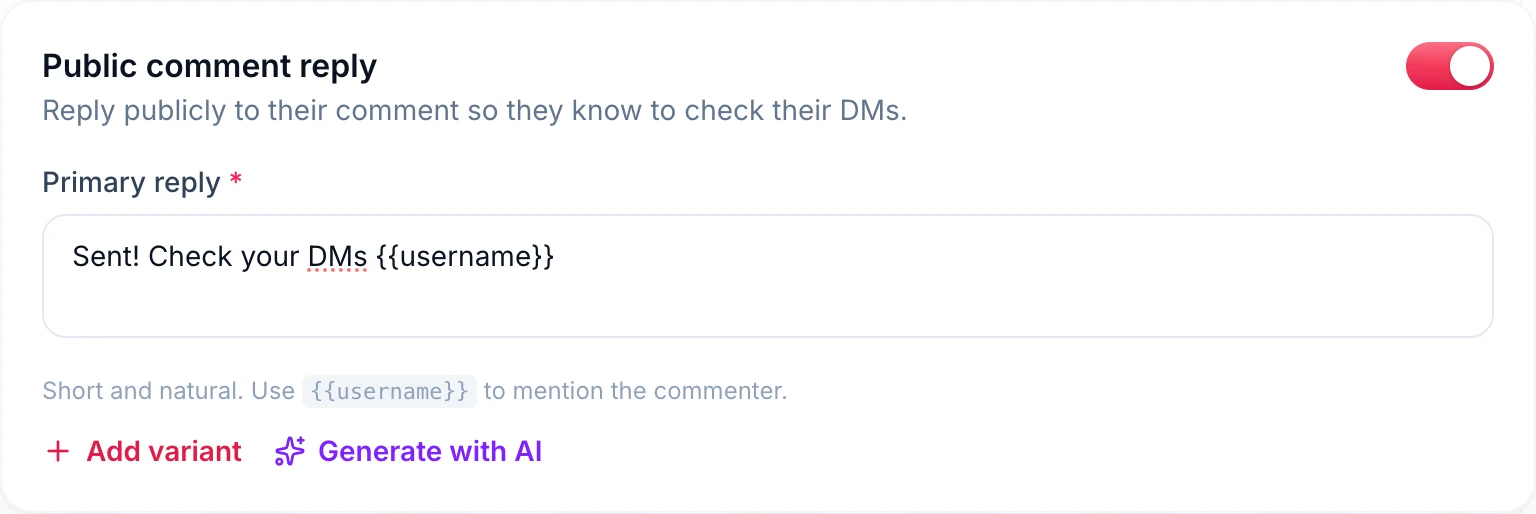
{{username}}personalisation, so the same text never goes out hundreds of times. - Public reply variants, so the comments under your post read naturally.
- Only DM followers, an optional filter for when you want a freebie to reward following.
DM Automata is an independent company and an approved Meta Tech Provider that runs only on Meta's official Instagram API. That keeps your account on the route Meta approves for automation, but it does not protect you from restrictions if you use it to spam: Instagram still acts on spammy messages, reports and behaviour, whichever tool sent them. What it does is remove the behaviours that most often get accounts restricted, so the risk that remains is the same as any business answering its DMs quickly. For a full walkthrough of setting up a safe flow, read the comment-to-DM setup guide.
What DM Automata deliberately does not do
Some features you will see advertised elsewhere are missing on purpose, because the official API does not support them:
- No auto-DMs to new followers (Meta's API has no follow event).
- No DMs to people who never interacted with you.
- No follow, unfollow, like or scraping automation.
If a tool offers those, ask how. The answer is almost always "we log in as you".
What to do if your account gets action-blocked
An action block is a temporary restriction that stops you from doing something, such as sending DMs, commenting or following, usually after Instagram detects activity it considers too fast or repetitive. It shows up as a message like "Try again later" or "We restrict certain activity to protect our community". Most blocks lift on their own within hours to a few days. Here is how to recover without making it worse:
- Stop the activity immediately. Pause every automation and don't try to push the same action through by hand. Repeated attempts can extend the block.
- Remove unofficial access. In Instagram, check Settings for connected apps and websites and remove anything you don't recognise or any tool that used your password. Then change your password and turn on two-factor authentication.
- Read the notice. If Instagram offers a "Tell us" or appeal option and you believe it is a mistake, use it. Check Account Status in your settings to see whether any content was flagged.
- Wait it out. Use Instagram normally and lightly for a few days: post, reply to comments by hand, avoid bursts.
- Restart slowly. When the block lifts, turn automations back on one at a time with a lower hourly cap (under 50), a longer send delay and several message variants.
- Fix the cause. If the trigger was a password bot, follow/unfollow tool or cold outreach, stop using it for good. If it was a single viral post, a lower cap and more variants are usually enough.
If your account is disabled rather than temporarily blocked, Instagram shows a separate screen with an option to request a review. Follow it; no third-party tool can reverse a disable for you, and anyone offering to "unban" an account for a fee is a scam.
Choosing a safe Instagram DM automation tool
When you compare tools, the safety questions matter more than the feature list:
- Does it connect through Instagram's own login and never ask for a password?
- Does it only message people who engaged with you first?
- Can you set a send delay and an hourly cap?
- Does it rotate message variants and personalise messages?
- Does it stop duplicate DMs to the same person?
DM Automata answers yes to all five, and its free plan includes 1,000 DMs a month so you can test it on a real post before paying anything. Established tools such as ManyChat also use Meta's official API; among official tools, the differences are price, limits and features, which we cover in the best Instagram DM automation tools, free Instagram auto-DM tools and DM Automata vs ManyChat. Plan details are on the pricing page.
The bottom line: Instagram doesn't punish automation; it punishes spam and unauthorised access. Use an official API tool, reply only to people who asked, keep your pace human and your messages varied, and automation becomes one of the safest and most useful things you can do for your account.
Frequently asked questions
Is auto DM against Instagram rules?
No, not when it uses Meta's official Instagram API and replies to people who contacted you first. Auto-DMs sent by bots that log in with your password, or sent to strangers who never interacted with you, do break Instagram's rules.
Can Instagram ban you for using automation?
Instagram can restrict accounts that use unofficial bots, send mass cold DMs, spam identical messages or run follow/unfollow tools. Using an official API tool to answer comments, story replies and DMs is the use Meta built the API for, though any account can still be restricted for spammy content or reports.
How many DMs can you send on Instagram per day?
Instagram does not publish a daily DM limit for manual messaging. For official API tools, Meta publishes per-account limits, including 750 private replies to post and Reel comments per hour. For safety, keep automation to 30 to 100 DMs an hour, and under 50 on new accounts.
Is it safe to give an automation tool my Instagram password?
No. Safe tools connect through Instagram's own login screen and never see your password. A tool that asks for it is logging in as you, which breaks Instagram's terms and puts your account's security at risk.
Why do automation tools need "Allow access to messages"?
It is the Instagram setting that lets connected tools read and send your DMs. Turn it on under Connected tools in your message settings. Turning it off cuts DM access for every connected tool at once.
Can I automatically DM new followers?
Not with an official API tool, because Meta's API has no new-follower event. Tools that promise it are usually logging in as you. Instead, welcome people who reply to your story or send you a DM, which the official API does support.